Prepare Your Manuscript for Publishing: 10 Best Hacks
“Plans are worthless, but planning is everything.” — Dwight D. Eisenhower
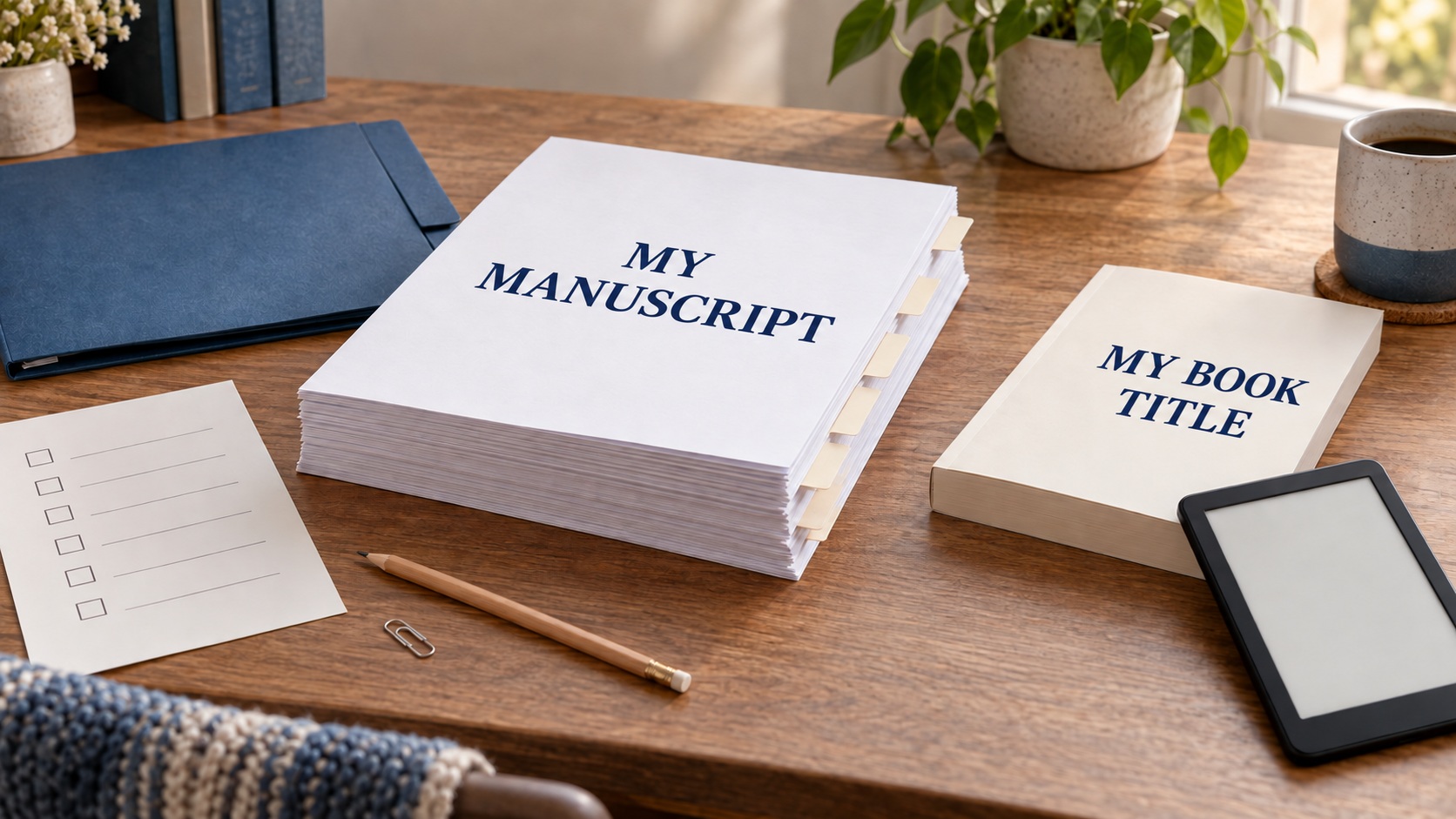
You finished your manuscript. You edited it, proofread it, and reached the point where you were ready to turn it into a real book. It is tempting to open your formatting software immediately.
I understand that urge. Formatting feels like visible progress because your manuscript finally begins to look like a published book.
Before you format, take time to prepare the manuscript and the material that belongs with it. This short production-preparation stage can save hours of correcting the same problem in several places later.
A change made in the source manuscript may also need to be made in the print interior, eBook, and perhaps the print cover. The farther the book moves through production, the more places you may need to check.
Preparation gives you one reliable starting point. It also helps you see which decisions belong now and which ones can wait until a later publishing stage.
What Does Publishing-Ready Mean?
A finished manuscript and a publishing-ready manuscript are closely related, but they describe different stages of the work.
Your finished manuscript contains the book you intend to publish. Your publishing-ready manuscript has also been cleaned, organized, and checked so it can move into book production.
The distinction matters because several versions of your book will soon exist:
- Source file: The editable manuscript you control and revise
- Exported file: A PDF, EPUB, or other deliverable created from the source file
- Uploaded file: The version you submit to Amazon KDP
- Published book: The live edition readers can buy or read
During preparation, your main concern is the source file and everything needed to produce the book from it. Later, you will inspect the exported and uploaded files separately.
Your manuscript is ready to enter production when you can answer these questions with confidence:
- Is the content settled enough to format?
- Are the book’s structural elements complete?
- Have I gathered the images and other assets I plan to use?
- Have I checked the permissions, credits, and licenses that may apply?
- Can I identify one authoritative source file?
- Do I know how I will produce the print and eBook editions?
You may still find small corrections during formatting or proofing. That is common. The goal is to resolve known problems before they spread into additional files.
See the Whole Publishing Path
Book production becomes easier to manage when you understand the sequence. You do not need to make every decision today, but you should know where each decision belongs.
This series follows seven stages:
- Prepare your manuscript. Confirm readiness, clean the source file, gather the book components and assets, and choose a production path.
- Choose your working workflow. Decide whether your current writing system can carry the book forward or whether another tool is needed.
- Format the interiors. Create and inspect separate files for the print book and eBook.
- Develop the covers. Create an eBook cover and a full print cover based on the final print specifications.
- Set up the book on KDP. Prepare the account and title information needed before uploading the files.
- Upload, preview, and proof. Check the uploaded files, correct problems, and approve a physical proof of the print book.
- Publish and complete a basic launch. Make the final pricing and distribution choices, publish the book, and inspect the live sales page.
The second stage is optional. If you already have a reliable way to move your manuscript into book-production software, you can continue from preparation to formatting.
Print and eBook editions come from the same book, but they require different production choices and quality checks. Amazon KDP maintains separate formatting and preview resources for each path.
For now, concentrate on creating a dependable starting package for both editions.
Decide Whether the Content Is Ready
You need to address every known issue that could substantially change the book.
Look for unresolved problems involving:
- Missing, duplicated, or out-of-order material
- Plot, argument, organization, or continuity
- Facts or quotations that still need verification
- Inconsistent names, headings, labels, or terminology
- Known proofreading corrections
- Placeholder text or unfinished notes
- Reader or editor feedback that still requires a decision
Ask yourself: If I solve this problem after formatting, how many files or pages will I need to correct again?
A changed word may take a moment. A new section, deleted chapter, or altered image can affect navigation, page breaks, page count, and the print cover.
The print cover depends heavily on later production decisions. KDP’s cover calculator and template generator ask for the formatted page count along with the binding, interior, paper, and trim specifications.
If substantial editing remains, return to that work before production.
If the remaining corrections are limited and clearly identified, list them and complete them before creating the interiors.
Create One Clean Source Manuscript
Once the content is settled, make a protected backup. Then create the source file you will use for production, and name it so you can recognize it later.
Work through the manuscript with structure in mind. You are preparing the content for a clean handoff, whether you format it yourself, move it into dedicated software, or send it to a professional.
Check the source manuscript for:
- Tracked changes that still need to be accepted or rejected.
- Comments, private notes, and editor queries that should be resolved or removed.
- Placeholders such as “CHECK THIS,” “ADD SOURCE,” or “INSERT IMAGE.”
- Consistent chapter titles and heading levels.
- Clear, consistent scene-break markers.
- Intentional italics, boldface, lists, block quotations, and footnotes.
- Accurate image, table, caption, and cross-reference labels.
- Clear divisions among the front matter, main text, and back matter.
You are checking what each element is rather than designing how it will look on a printed page or e-reader. The detailed design and formatting decisions belong in the formatting stage.
I learned the value of checking repeated structures while working in Atticus. A list near the end of a chapter didn’t always stay where I expected, and fixing the same issue across many chapters became tedious.
Now I pay closer attention to recurring headings, lists, and chapter endings before and after import. Software can save a great deal of time, but I still have to inspect the book it produces.
When the cleanup is complete, identify this document as the authoritative source manuscript. Move older versions into an archive folder so they remain available without competing with the current file.
Gather Your Front Matter and Back Matter
The main manuscript is only part of the book. Before formatting, decide which opening and closing components you intend to include.
Possible front matter includes:
- Half-title page
- Title page
- Copyright page
- Dedication
- Epigraph
- Table of contents when appropriate
- Foreword, preface, or introduction when appropriate
Possible back matter includes:
- Acknowledgments
- Author note or about-the-author section
- Notes, references, bibliography, or resources when appropriate
- Discussion questions or other reader material
- A brief invitation to visit your website or learn about another book
Books vary, so treat this as an inventory of possibilities. Choose the components that serve your book and readers, then confirm that each one is complete.
Carefully check names, links, book titles, acknowledgments, and contributor information. Decide whether each component belongs in both editions or whether the print and eBook versions need different wording or links.
If you are planning to advertise another book in the back matter, gather the description, cover image, and correct destination link. If that book is still in development, record the item as unresolved.
Check Rights, Permissions, Credits, and Licenses
Make a list of material you did not create entirely yourself. This may include:
- Quotations and excerpts
- Epigraphs, song lyrics, or poems
- Photographs, illustrations, charts, and maps
- Stock images, decorative elements, and AI-generated assets
- Fonts intended for commercial use or embedding
- Forewords, illustrations, or other contributor material
For each item, record its source, owner or provider, license or permission status, required credit language, and location in the book. Attribution and permission serve different purposes. Crediting the creator does not automatically give you the right to use the work.
Fair use can apply in some situations, but there is no universal word-count or percentage rule. The U.S. Copyright Office explains that fair use depends on the circumstances and recommends seeking permission when doubt remains.
This is a preparation checkpoint rather than individualized legal advice. If you are unsure about a substantial quotation, image, trademark, contract, or license, consult the applicable official guidance or an appropriate professional.
Rights questions can take time to resolve. Finding them now gives you room to request permission, replace an asset, or change your plan before the book is formatted.
Build a Production Package You Can Control
A simple production package keeps your source material, decisions, and later exports from becoming mixed together. The exact folder structure matters less than your ability to understand it at a glance.
Your package might contain:
- The authoritative source manuscript
- An untouched backup from before production cleanup
- Separate front matter or back matter files, if you use them
- Original image and illustration files
- A rights, permissions, credits, and license record
- A final asset list
- A basic metadata worksheet
- Folders reserved for print and eBook exports
- A correction log or production notes file
Use filenames that show the project, stage, edition, and date when those details matter. A manuscript name such as BookTitle_Source_2026-09-10 gives you more useful information than BookTitle_Final_Final2.
Keep at least one backup somewhere other than the device holding your working files. Confirm the backup opens before you depend on it.
When you begin exporting files, do not overwrite the editable source manuscript. The source, print export, eBook export, and KDP upload each serve a different purpose.
I also keep a correction log during production. When I find a problem in a preview or proof, I can record where it originated, which editions it affects, and which files I corrected. That small habit becomes especially useful when one correction must be carried through more than one version of the book.
Start a Basic Metadata Worksheet
Metadata is the information used to identify and describe your book. Some of it will appear inside the book, on the cover, and in your KDP setup.
At this stage, your worksheet keeps those details consistent. You will make the fuller KDP decisions later.
Start with:
- Book title and subtitle
- Author name and other contributors
- Series name and volume number, if applicable
- Planned editions and formats
- Language
- A short factual summary of the book
- Draft book-description notes
- Publisher or imprint name, if already decided
- Website and contact links intended for the book
- Questions or decisions to complete during KDP setup
Consistency matters. If your subtitle, author name, or series information appears differently in the manuscript, cover, and KDP record, you create another problem to investigate later.
You can collect possible keywords, categories, and pricing ideas in the worksheet if they occur to you. Save the actual KDP setup and final pricing decisions for their proper stages.
Choose Your Production Path
Once you know what you are producing, decide how the manuscript will become a print interior and eBook.
You have several workable paths. The best fit depends on your book, budget, available time, technical comfort, and willingness to inspect and correct the output.
DIY With General-Purpose Tools
You may be able to prepare the book with software you already own. Consider how much you need to learn, whether the tool can create the files you require, and how you will inspect them.
This path may reduce direct costs. It can require more setup, manual control, and troubleshooting, especially when the print and eBook versions need different treatment.
Dedicated Book-Production Software
Programs designed for authors can simplify parts of the writing, organization, formatting, or export process. Each program supports a different combination of tasks.
Look at the entire workflow.
Consider where you draft and revise, how the manuscript moves into production, which files the software creates, and how much control you retain.
The next article, Atticus vs. Dabble: Choose Your Workflow, will help readers who are deciding between those tools or considering a two-tool workflow.
Professional Assistance
A professional formatter or designer may be worthwhile when the book has unusual requirements, the schedule is tight, or learning the production work would cost more time than you want to spend.
Before hiring someone, clarify the deliverables. Ask which formats are included, what source material they need, how revisions work, and how you will inspect the finished files.
Professional help does not remove the author’s responsibility for final review. You know the content and intentions of your book better than anyone else involved in production.
A Hybrid Workflow
You can also divide the work. You might prepare the manuscript and metadata, use software for the interiors, hire a cover designer, and handle the KDP setup yourself.
Choose the path according to the job that needs to be done. Buying a tool or service is one decision; confirming that its output works is another. The third article, “Format Your Print Book and eBook,” compares formatting approaches and explains how the two interior files differ.
Know When Your Book Needs a Different Path
This series focuses on text-heavy books such as novels and general nonfiction published as eBooks and paperbacks through Amazon KDP.
Picture books, cookbooks, workbooks, textbooks, art books, heavily illustrated books, and fixed-layout eBooks may require specialized layout, image, accessibility, or printing decisions.
If an image, answer space, table, or design element must remain exactly where you place it, confirm that your software or service supports that requirement before you build the interiors.
You may still complete some preparation tasks yourself. A specialist can work more efficiently when you provide a clean source manuscript, organized assets, clear rights records, and a written description of the required result.
Make Your Readiness Decision
After you work through the preparation stage, decide where the book stands.
- Ready: Your source manuscript and production package are controlled, and you know the next production step.
- Ready after specific corrections: You have identified a limited set of changes to complete before formatting.
- Pause for additional help: A substantial editorial, rights, asset, or specialized-production issue needs attention first.
Any of these answers can move the project forward because each one gives you a clear next action. Write down what remains and who or what will handle it.
If your manuscript is ready and your workflow is settled, continue to formatting. If you still need to decide how Dabble, Atticus, or another tool fits your process, make that decision first.
Publishing Readiness Checklist
Use this checklist before moving the manuscript into formatting or handing it to a production professional.
- I completed the editorial-readiness checkpoint and resolved known substantive issues.
- I identified one authoritative source manuscript and preserved an untouched backup.
- I removed unresolved comments, placeholders, and private drafting notes.
- I confirmed the chapter titles, heading levels, scene breaks, lists, quotations, images, tables, and other structural elements.
- I completed my front matter and back matter inventory.
- I checked names, links, contributor information, and edition-specific material.
- I recorded the source, rights status, license terms, and required credit for material I did not create entirely myself.
- I gathered the original images and other production assets.
- I identified any content or assets that will differ between the print and eBook editions.
- I created a basic metadata worksheet and identified open KDP decisions.
- I established clear filenames, backups, export folders, and a correction log.
- I chose a DIY, software-assisted, professional, or hybrid production path, or identified the information I still need.
- I confirmed whether my book fits a text-heavy production workflow or needs specialized help.
- I know which publishing stage comes next.
Keep this checklist with your production files and return to it whenever a later change reaches back into the manuscript. A controlled source file and a clear record of your decisions will help you correct the right version and move the book forward with confidence.
We hope you’ve found the writer’s guide strategies useful and motivating. We hope they’ll equip you with the insights and tools needed to help you succeed as a new author.
You might also enjoy some of our books:
AI Future Ready Skills for Indie Authors
Amazon KDP Made Easy: A Simple, Stress-Free System to Self-Publish Your First Book on Amazon
Writing is a journey of continuous learning and improvement. You don’t have to go it alone. We’re excited to continue the journey with you, providing guidance and encouragement every step of the way. Our goal is to provide essential insights and practical advice to help you navigate the writing world with increased confidence.
If you have a draft you want to publish and are wondering how AI can help, read: Is Your Book Ready to Self-Publish?
Don’t wait. Start today!
How can we help? To let us know, please fill out our Contact form.
Happy writing!