Design a Book Cover With AI—6 Best Hacks
“To size your cover correctly, you’ll need the final page count from your interior manuscript after accounting for your trim and margin sizes.” — Amazon KDP
I once had a cover that looked promising at full size. When I reduced it to the size readers might see while browsing on Amazon, it felt too busy. Simplifying it helped me see what the book cover needed to communicate first.
The small view is useful, but it’s only one part of the job. I use ChatGPT to explore book cover concepts and imagery, then decide what belongs on the cover and how the finished files should work.
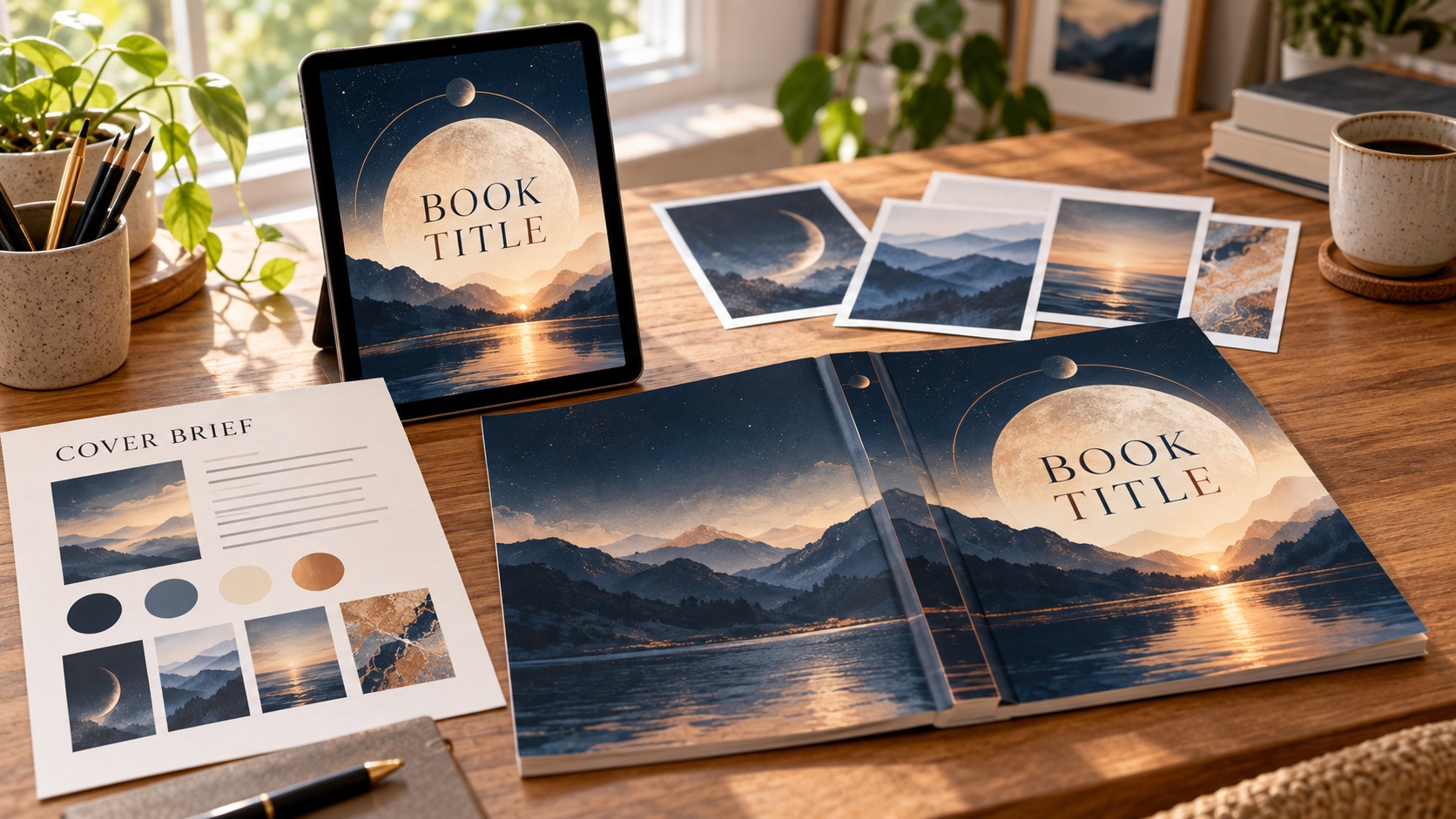
In this part of our writer’s guide series on publishing your book, you’ll build a cover brief, examine possible images, and plan separate covers for an eBook and a paperback. You can use the same decisions whether you assemble the files yourself or work with a designer.
Give the Cover a Brief Before You Generate Images
Start with the book and the reader you hope to reach. A cover for a cozy mystery may call for different signals than a cover for a practical nonfiction guide, even when both could feature the same attractive landscape.
Look at several recent books that genuinely serve readers like yours. Notice the common choices in color, type, imagery, and mood. Study the broad conventions while developing a direction that belongs to your book.
Here is a compact brief you can fill in before you ask AI for ideas:
- Book and reader: What kind of book is this, and who is it for?
- Genre signals: Which visual cues will help the intended reader understand the book?
- Mood: What feeling should the cover suggest?
- Central idea: Which image, symbol, or visual relationship could carry that feeling?
- Words: What exact title, subtitle, series line, and author name must appear?
- Priority: What should a reader notice first?
- Avoid: Which imagery, clichés, colors, or misleading signals do you want to exclude?
- Production: Which eBook and paperback editions are you making, and which print specifications are already settled?
For a hypothetical practical guide, a brief might call for calm colors, a single clear visual idea, and a prominent title. That gives you criteria for judging concepts. You can change direction as you learn more, but record the decision so you don’t wander through endless variations.
If you have not settled the manuscript, credits, and assets, return to the writer’s guide “Prepare Your Manuscript for Publishing” for that earlier readiness work.
Make the Title Readable Before You Fall for an Image
An image can be beautiful and still leave nowhere useful for the title. While exploring the visual direction, I consider the title, author name, and any essential subtitle, rather than squeezing the words into whatever space remains.
Decide on a hierarchy. The title might lead, with the image reinforcing it. In another design, a strong visual may lead while the title remains immediately clear. The choice should fit the book and its readers.
Try a rough layout with the actual words. Give the title enough contrast against the background and leave breathing room around it. Keep smaller text readable at its intended size, especially on the paperback back cover and spine.
Then reduce the front-cover mockup to a small thumbnail. Ask yourself:
- Can I read the main title without enlarging it?
- Can I find the author name?
- Does the mood fit the book?
- Is one visual idea clear, or are several elements competing?
- Would a simpler image or fewer words improve the hierarchy?
That check led me to simplify my own cover. It helped me make a design decision. It did not tell me how the book would sell. View the front at full size again afterward, because a thumbnail can hide defects you need to catch in the final artwork.
Cover typography deserves its own attention.
Choose type that is legible and appropriate to the genre, then set it deliberately in the cover design. If you use a third-party font, check its license for the print and digital uses you intend. A font being free to download does not tell you all of its permitted uses.
Ask AI for Directions You Can Evaluate
I have used ChatGPT to explore cover concepts and create visual elements. It helps me see several possible directions quickly. I still decide which concept represents the book, which imagery I can use, and how the typography and layout come together.
You can begin with the brief instead of asking for a finished cover in one step. For example:
I’m developing a cover for a [genre or book type] for [intended reader]. The mood is [description], and the title is [exact title]. Suggest three distinct visual directions. For each, explain its genre cues, likely focal point, space for title and author typography, and any risk that it could misrepresent the book. Avoid [specific exclusions].
Compare those directions with the brief. If one fits, you might request an image or a selected visual element with clear space for the title. Keep your actual cover words editable so you can control spelling, typeface, size, contrast, and placement.
Inspect each generated image closely. Look beyond the overall impression at:
- Hands, faces, figures, and recognizable objects
- Stray lettering, misspelled words, and invented logos
- Repeated, missing, or physically impossible details
- Awkward edges, shadows, lighting, and cropping
- Similarity to a familiar character, brand, or distinctive existing cover
- Image detail at the size needed for the finished design
Years ago, while using DALL-E, I received an image of a person with six fingers on one hand and misspelled words. Thankfully, image generation has improved greatly since then. That older experience taught me to inspect the output rather than assuming a convincing first glance is enough.
You may reject a polished image because it gives the wrong genre impression or leaves too little room for the title. You may also use one part of it as a starting point and build a better composition around it. Keep track of what you actually used.
Keep Track of Rights and Sources
Save a simple record for the cover: the AI tool used, the date, your selected output, edits, source images, font names and licenses, stock licenses, permissions, and final design files. That record makes later corrections and rights questions easier to answer.
OpenAI’s current Terms of Use say that, as between you and OpenAI and to the extent permitted by law, you own the output. Its ChatGPT guidance permits commercial uses subject to the applicable policies and terms. Outputs may resemble those received by others, and you remain responsible for what you publish.
Check the terms that apply to your account when you use the tool.
That contractual language does not settle whether every generated image is protected by copyright. The U.S. Copyright Office says protection for AI-related output depends on sufficient human authorship; prompting alone does not establish that authorship. Its registration guidance addresses disclosure of AI-generated material when someone seeks registration. This is a separate question from KDP’s publishing disclosure.
Check other material too. A photo found online is not automatically free to use, and stock licenses can limit book-cover uses. I have used stock imagery in the past, so I would return to the provider’s terms for the specific asset and keep proof of the license. Check recognizable logos, characters, and branding for possible rights or trademark concerns.
Amazon KDP’s current content guidelines include AI-generated cover images in its disclosure policy. KDP distinguishes imagery generated by an AI tool from imagery a person created and then refined with AI.
Keep an accurate record of your process. The next writer’s guide, on setting up your KDP book, will cover the disclosure field itself.
These checks are general publishing guidance. If a particular image, likeness, license, or mark raises a difficult rights question, get appropriate professional advice before using it.
Plan an eBook Front and a Paperback Wrap
The two editions need separate cover files. An eBook cover is the finished front image, including the title and author text. KDP’s current eBook cover guidance accepts JPEG or TIFF and gives an ideal size of 2,560 by 1,600 pixels in RGB. Check its current page again when you export.
A paperback needs one continuous wrap containing the back, spine, and front. KDP currently asks for a single PDF cover file. The wrap also needs bleed around the outer edges, safe areas for text, and room for the barcode. KDP currently asks for cover images in CMYK at a minimum of 300 DPI when placed at their final size.
You can begin the front-cover concept before the interior is final.
To size the complete wrap, you need the finished print page count from the section “Format Your Print Book and eBook.” The paper, ink, trim size, and page count affect the spine and full-wrap dimensions.
I have used a KDP cover template to build a complete paperback wrap. Enter your finished book’s specifications in KDP’s Print Cover Calculator and Templates, then use the matching template as a guide in your design work. It shows the front, spine, back, bleed, safe areas, and barcode zone.
Remember to remove the guide markings from the finished file.
If the interior changes enough to alter its page count, return to the calculator and check the wrap again. Leave spine text off when the book is too thin under KDP’s current rules. Where it fits, make sure the title and author name remain inside the template’s spine-safe area.
The back cover needs its own composition. Leave space for a short, accurate description or excerpt, any appropriate author information, and the barcode.
The KDP setup writer’s guide will help you prepare the core reader-facing book description. Here you are choosing and fitting the part that belongs on the physical cover.
I once found in a paperback proof that my title sat too close to the right edge. When I did the KDP preview, I didn’t look carefully enough. The experience reminds me to pay attention to the safe area when designing a cover.
A later writer’s guide on uploading and previewing your book will cover proof inspection, correction, and final technical approval.
Decide When a Designer Would Help
If your concept needs detailed illustration, complex compositing, or typography you cannot confidently produce, getting design help may be a sensible use of your budget. I once used a professional cover designer on Fiverr. The price was reasonable and the quality was good.
If you commission a cover, share the brief and the final interior specifications. Agree on the eBook front, full paperback wrap, editable files, image and font rights, revision rounds, and who will adjust the wrap if the page count changes.
You still get to judge genre fit, readability, and whether the final design represents your book. A clear brief also gives a designer a better starting point than a folder full of unrelated images.
Cover Design Action Steps
Use these steps to turn a promising visual direction into a cover plan for both editions.
- Write a short cover brief with the intended reader, genre cues, mood, central idea, exact cover words, and exclusions.
- Explore a few visual directions in ChatGPT and compare each with the brief.
- Choose imagery you can use, set the title and author typography deliberately, and inspect the design at full size and thumbnail size.
- Record the source, tool, edits, permissions, and licenses for each element you keep.
- Prepare an eBook front-cover file to KDP’s current specifications.
- Use the final print page count and other interior choices to obtain the correct paperback template, then fit the front, spine, and back within it.
- Save the editable design and separate finished files so you can revise either edition when needed.
Once your covers are prepared, keep them with your production files and rights record. The next writer’s guide will help you set up the book on KDP, including its AI-content disclosure; the following guide will handle uploaded-file previews and the paperback proof.
For more guidance, see other writer’s guides in this series. We suggest starting with the first one, Prepare Your Manuscript for Publishing.
We hope you’ve found the writer’s guide strategies useful and motivating. We hope they’ll equip you with the insights and tools needed to help you succeed as a new author.
You might also enjoy some of our books:
AI Future Ready Skills for Indie Authors
Amazon KDP Made Easy: A Simple, Stress-Free System to Self-Publish Your First Book on Amazon
Writing is a journey of continuous learning and improvement. You don’t have to go it alone. We’re excited to continue the journey with you, providing guidance and encouragement every step of the way. Our goal is to provide essential insights and practical advice to help you navigate the writing world with increased confidence.
If you have a draft you want to publish and are wondering how AI can help, read: Is Your Book Ready to Self-Publish?
Don’t wait. Start today!
How can we help? To let us know, please fill out our Contact form.
Happy writing!